🛠️利用 Xcode 26.3 工具完成開發循環
列舉 Xcode 提供給 Agent 的工具。不論你是否信任 AI Coding,至少要懂得讓 AI 自動完成跑測試與修復的開發循環。

我認為 Xcode 26.3 讓 iOS 開發進入了一個全新的時代。因為可以直接在 Xcode 內使用 Agentic Coding 的功能,直接做完從開發到驗證的循環。
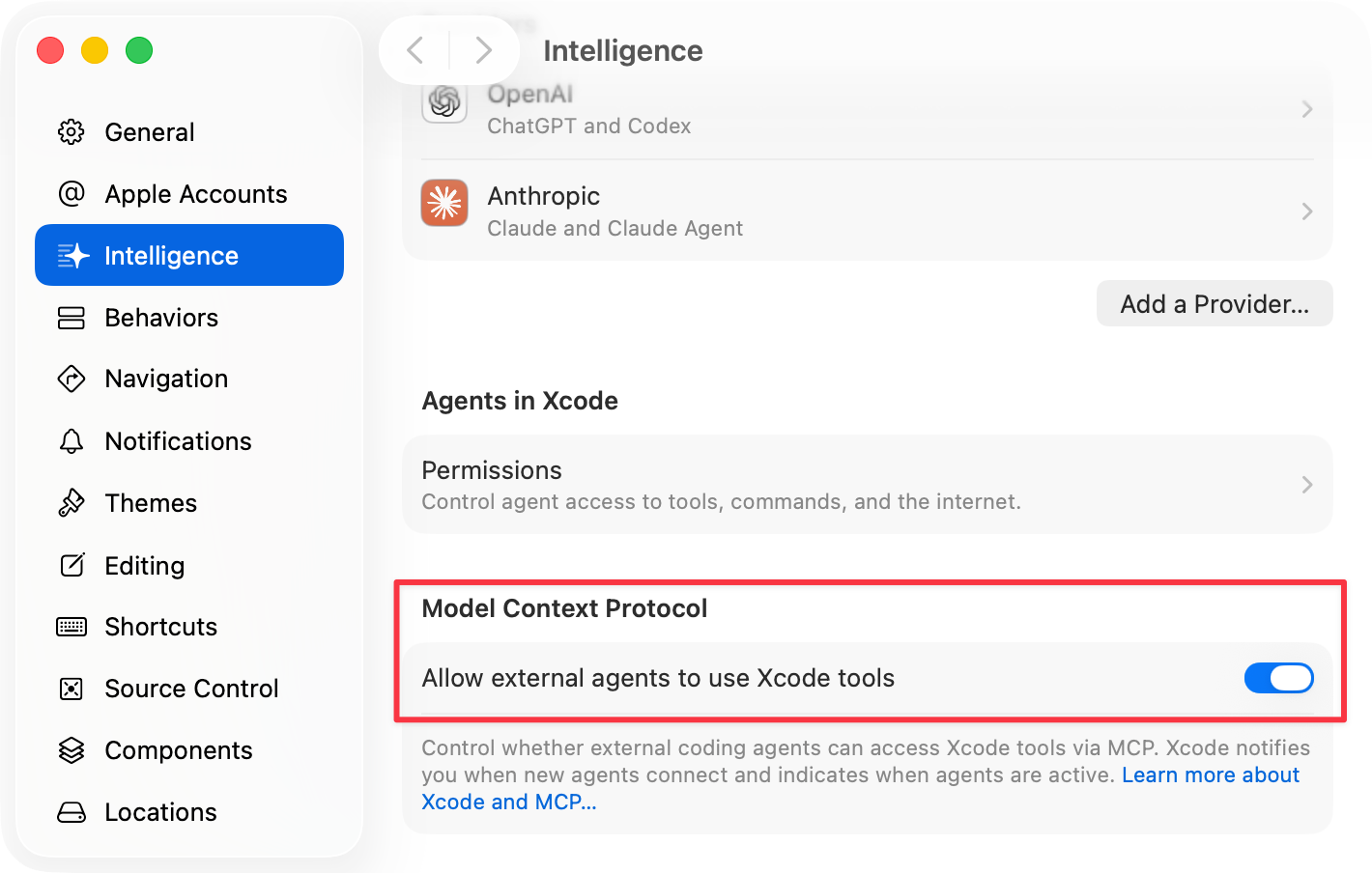
另一方面,Xcode 提供了不少「工具」,讓 Codex 或 Claude Code 等 Agent 能從外部呼叫使用,例如 Codex Mac app 或 Claude Code TUI。
Xcode 使用 MCP 來宣告這些工具。我把呼叫結果放在這個 gist:
 262588213843476
可以看出,提供了大部分常見的 Xcode 操作:
- BuildProject: Builds an Xcode project and waits until the build completes.
- DocumentationSearch: Searches Apple Developer Documentation using semantic matching.
- ExecuteSnippet: Builds and runs a snippet of code in the context of a specific file and waits until results are available. This tool is available for source files in targets that build applications, frameworks, libraries, or command line executables. The output consists of the console output generated by the
printstatements contained in the provided snippet. - GetBuildLog: Gets the log of the current or most recently finished build. You can choose which build log entries to include by specifying the severity of any issues emitted by the build task represented by the entry. You can also filter by message regex pattern or file glob pattern. The response also indicates whether the build is currently in progress.
- GetTestList: Gets all available tests from the active scheme's active test plan. Results are limited to 100 tests. The complete list is written to fullTestListPath in grep-friendly format. Use grep with keys like TEST_TARGET, TEST_IDENTIFIER, or TEST_FILE_PATH to find specific tests.
- RenderPreview: Builds and renders a Preview and waits until a snapshot of the resulting UI is available.
- RunAllTests: Runs all tests from the active scheme's active test plan
- RunSomeTests: Runs specific tests using the active scheme's active test plan
- XcodeGlob: Finds files in the Xcode project structure matching wildcard patterns. Works on Xcode project organization, not filesystem structure. Example patterns: '.swift', '**/.json', 'src//*.{swift,m}'. If no pattern is provided, defaults to '/*' (all files).
- XcodeGrep: Searches for text patterns in files within the Xcode project structure using regex. Works on Xcode project organization, not filesystem structure. CRITICAL: Must include a 'pattern' argument - this tool will fail without it.
- XcodeLS: Lists files and directories in the Xcode project structure at the specified path. Works on Xcode project organization, not filesystem structure.
- XcodeListNavigatorIssues: Lists the currently known issues shown Xcode's Issue Navigator UI in the workspace. These issues include those that have been discovered since the last build, and also issues like package resolution problems and workspace configuration issues. You can filter the issues to include by file name, glob, or severity. Use this tool when you want to list all the users the user can see in the workspace UI.
- XcodeListWindows: Lists the current Xcode windows and their workspace information
- XcodeMV: Moves or renames files and directories in the project navigator with support for filesystem operations.
- XcodeMakeDir: Creates directories and groups in the Xcode project structure.
- XcodeRM: Removes files and directories from the Xcode project structure and optionally deletes the underlying files from the filesystem.
- XcodeRead: Reads the contents of a file within the Xcode project organization. Returns content in cat -n format with line numbers. Supports reading up to 600 lines by default with optional offset and limit parameters for large files.
- XcodeRefreshCodeIssuesInFile: Retrieves current compiler diagnostics (errors, warnings, notes) for a file in the Xcode project. Returns formatted diagnostic information including severity levels and messages.
- XcodeUpdate: Edits files in the Xcode project by replacing text content. Works on Xcode project structure paths, not filesystem paths. IMPORTANT: The tool will fail if filePath, oldString, or newString parameters are missing.
- XcodeWrite: Creates or overwrites files with content in the Xcode project. Works on Xcode project structure paths, not filesystem paths. Automatically adds new files to the project structure. Both filePath and content parameters are required.
最大化 Agent 寫程式效率的關鍵在於:寫完程式碼以後能夠執行編譯、測試,並且修正錯誤。Xcode 提供的工具能直接執行測試、看 Preview、看編譯的 log,所以很容易找出問題,也就能快速找到要修復的地方。
Agent 也懂得使用 xcodebuild 或 xcrun simctl 指令達到類似的效果,但有內建工具總是比較直接,習慣 Xcode 的開發者也比較好懂 Agent 在做什麼。
解決 MCP 太耗費 Context 的問題
在使用 AI 開發時,context window 是寶貴資源。而使用 MCP 容易消耗大量的 token,所以後來 Anthropic 又推出 Skills。
從上方的 gist 可以看出,總共有 1500 多行的 JSON 都會塞進 context window。
另一方面,如果你有實際把 Xcode 的 MCP 打開給外部呼叫,一定會常常看到 Xcode 跳出 "Allow Connection?" 的權限通知。這個問題在 Xcode 26.3、26.4 beta 的 Release Notes 都是 Known Issues。
上述兩個問題加起來,就讓從外部 Agent 使用 Xcode 工具有點不太實際。
因此,我有的時候就直接使用 Xcode 內的 Agentic Coding 介面來開發來減少允許連線通知的問題(MCP 佔用 context 則避不開)。畢竟不管用不用 AI 寫 iOS,Xcode 本來就會開著跑實機、看 Preview,或是進行一些自己熟悉的操作。
但我更多的時候是使用 Codex Mac app,還是會希望能用 Xcode 提供的工具。
有沒有什麼辦法呢?